I'm really going to miss the 60's look of my blog.
I loved the look for my Visual Design and Display of Information course blog, but I really think that it's a little much for a course design blog (which is a tad less artsy).
Since changing the blog template affects the whole blog, not just my new blogs, I though I would post a picture to remind me of my wild summer in visual design!
It almost feels like my summer is over, and now I'm being more adult and responsible. I guess I'll have to use my love of crazy colours on my quilting blog!
Friday, 2 August 2013
Breaking Down Assumptions
I wanted to keep up this blog but I wanted it to be larger than web design. It took me a while to break through the assumption that this blog doesn't have to be only about web design. With a name like Learning & Design, why not talk about creating learning design, course design, learning about course design, learning from course design, etc.? That sounds like a plan.
I've been receiving Faculty Focus – an e-magazine of sorts about “higher ed teaching strategies from Magna Publications”. Although written for college and university teachers, many of the issues and topics relate to the larger world of adult education outside of these specific institutions. What I love about the publication is that the articles may reference scholarly publications, but the topics and the writing is very practical.
Here is a great technique for engaging students and encouraging them to participate.
Today’s article is Using a Blog to Enhance Student Participation by Maryellen Weimer, PhD. The article, about using a blog assignment to enhance student participation within an in-class course, appealed to me because this is similar to what I just experienced in my Visual Design and Display of Information course. I agree that a blog is a great forum to reflect on the course’s ideas.
Dr. Weimer has some great ideas about how to use the blog. Here are the highlights:
Although I enjoyed creating the blog for my course, I think that having an anonymous component as well as at least a little bit of a requirement to respond to another student’s blog could have added to the course. We were encouraged to share our blog addresses with our fellow students, but most did not. This might have helped students feel safer about sharing.
I've been receiving Faculty Focus – an e-magazine of sorts about “higher ed teaching strategies from Magna Publications”. Although written for college and university teachers, many of the issues and topics relate to the larger world of adult education outside of these specific institutions. What I love about the publication is that the articles may reference scholarly publications, but the topics and the writing is very practical.
Here is a great technique for engaging students and encouraging them to participate.
Today’s article is Using a Blog to Enhance Student Participation by Maryellen Weimer, PhD. The article, about using a blog assignment to enhance student participation within an in-class course, appealed to me because this is similar to what I just experienced in my Visual Design and Display of Information course. I agree that a blog is a great forum to reflect on the course’s ideas.
Dr. Weimer has some great ideas about how to use the blog. Here are the highlights:
- The blog assignment was used throughout the course to respond to that week’s readings and to connect it to current events. They had to write a minimum of 300 words to address that week’s topic and also reflect on the ideas of at least one other blogger from their class.
- The student bloggers remained anonymous by using user-names that were only known by the teacher.
- The teacher reviewed the blogs the evening before the class to help her gauge the students’ understanding of the subject.
- In class, she uses the printed blog posts to highlight insightful responses, good questions and exchanges, and correct inaccuracies.
Although I enjoyed creating the blog for my course, I think that having an anonymous component as well as at least a little bit of a requirement to respond to another student’s blog could have added to the course. We were encouraged to share our blog addresses with our fellow students, but most did not. This might have helped students feel safer about sharing.
Labels:
anonymous,
assumptions,
blogs,
Faculty Focus,
techniques
Thursday, 18 July 2013
Learning About Design Continues

The course is over! Done! but the learning never is....
I've found some great stuff about design, and as usual, on the internet, it was a very round-about trip.
It all started with

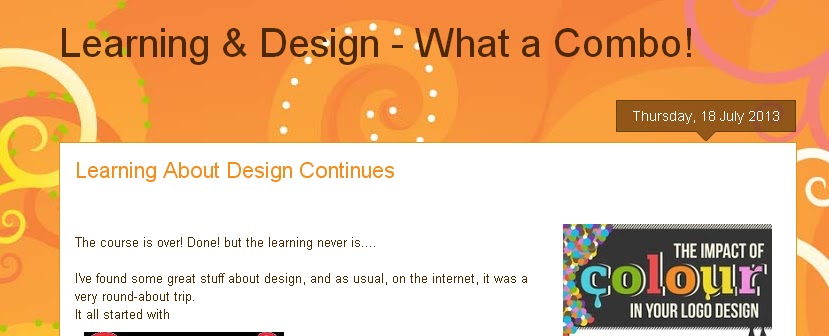
I hadn't been in months - too busy learning about design! Ironic because it turns out that there are amazing pins about design there. On Pinterest, I saw the coolest poster about colour and design.
That brought me to the British Design Experts. They have some very interesting links, articles and other stuff on their website. Check them out!
That's where I found this video. It's about the history and art of logo design. Enjoy!
Labels:
art of logos,
British Design Experts,
history of logos,
logos,
Pinterest,
video
Monday, 8 July 2013
Learning to Date
I can’t believe that my design course is almost over. It’s been a really busy month trying to get my “real” work done at work and doing my homework. I am usually an excellent self-learner and will often pick up a couple of books and learn on my own. Before taking this course, I had read a couple of design books but somehow things weren't sinking in. I REALLY hate to admit it, but upon reflection, I think it’s the doing (aka assignments) that made the subject real to me. Looking at websites, thinking about them and then creating them has been a real learning experience.
Here is a list of things I've learned during this course.
- Applying knowledge really does help you learn! To keep learning web and elearning design on my own, I’m going to have to do more “assignment”-type work to ensure that I practice and ground my learning.
- I knew a lot of odds and ends about web design. Now it’s more holistic and I can relate parts to each other.
- Designing a website and designing learning is very similar. They both:
- Need to be audience focused;
- Need to take into account your audience’s experience and learning style;
- Need to have precise objectives – otherwise it’s easy to lose your way;
- Require creativity and practice;
- Require knowledge of basic principles;
- Should be tested out before an official launch;
- Should be well organised;
- Can be approached from many directions;
- Require review, rewrites and tweaking!
- Can’t please everyone – so knowing your primary audience and developing the content based on your objectives is key.
- Testing one user is better than testing no user;
- Testing one user at the beginning of a project is better than testing 50 users later!
- Test early and often because testing will inform your design judgement.
- One test is the “Get it” testing: show someone the site; see if they understand its purpose; how it’s organised; how it works; etc.
- Another is the “Key task” test: ask a user to do something and watch to see he/she can. You’ll get better results if you let the user decide on parts of the task (i.e. find a book and buy it – and let them choose and find the book they want);
- Another test is the “cubicle” test: Print out a copy of a new page and have someone in the next cubicle see if they can make sense of it.
- Typical usability problems are:
4. A website layout is about ease of use and visual attraction. Simple is often best.
5. There are a few main layout designs. Almost everything else is a combination of these. I suspect that most layout designs would do the job; it’s how we adapt them based on our audience and need that makes the difference.
6. This was the first time that I bought the electronic version of a textbook. Not sure I’ll do it again, especially if the textbook isn't big and heavy! Paper has its advantages.
7. Learning and mastering web design and all of the tools and technology that go with it is huge – and it’s bound to change tomorrow. I guess that’s perfect for someone who needs to keep learning.
8. It’s amazing how generous people are with their learning on the Intranet. So much great stuff is available free of charge. It’s fantastic!
9. I read some good tips on testing your site before you launch it in Steve Krug’s book, Don’t Make me Think, 2nd Edition, 2006. Here are a few tips:
i. Purpose of the site is unclear;
ii. Words that they are looking for aren't there;
iii. There is too much going on.
10. Once created, a website needs to be “weeded” like a garden. That’s too bad because if my garden is any indication....I’m in serious trouble!
Wednesday, 3 July 2013
Logos
Our week 6 assignment included identifying 5 top logo designs and why they are effective.
I haven’t thought about logos for over 20 years, so I thought I’d do a refresher. According to Jacob Cass of Just Creative, a good logo has five components.
Simple: Follow the KISS principle – Keep it simple, stupid. (That’s also how we were taught to write in business school!)
Memorable: It turns out that distinctive, memorable and clear (or simple) is probably more important than its subject matter or even its appropriateness.
Timeless: The example used here is Coca-Cola. Its logo has not changed since 1885. It’s too bad they didn’t remember this when they played with their recipe! On the other hand, the Pepsi logo has evolved, but is still very recognizable. This characteristic might be difficult to judge until years have passed.
Versatile: It’s very useful if the logo can be printed in colour or black and white and can easily change size.
Appropriate: somehow related to the product or service, its image or customers. The obvious example is the logo of Toys R Us – it’s colourful and fun which is appropriate for a toy store.
One way of appreciating a great logo is to look at really bad ones. On the worst logo designs, the logos look like something I might create using clip art in Word or PowerPoint. Many of the logos are probably from very small companies, such as the local hairdresser. I guess the question then becomes – is it better to not have a logo than to have a bad one? And also, do they really need a logo? For a small business with little to spend on marketing, that is a very valid question.
I checked out the Logo of the Day website. They feature many logos that people can vote on. Some are very good, even out of context. If a logo is not appropriate (i.e. it doesn’t obviously show what the company is about) it doesn’t mean that it’s not good, but it is hard to judge how good it is when there’s no context.
Here are my examples of effective logos that I’m familiar with (sorry, more quilting examples to come).
I like the Kobo logo. It’s simple, memorable, appropriate (includes a book) and probably versatile. What appeals to me are its simplicity and the inclusion of a book.

I like the fact that the Mad about Patchwork logo is colourful, fun and includes patchwork in the heart. I like the font. I think that it’s relatively simple, memorable and appropriate.
I like the use of colours in Flare Fabrics’ logo. The colours and the circles show movement and fun. I believe that it’s simple, memorable and appropriate.
The All People Quilt website's logo is just their name. I love their use of colour since that’s what quilting is all about. It also makes me think of quirky and fun. This is a simple, memorable and appropriate logo.
The Craftsy logo is simple. The font, colour and shape make it memorable. It doesn't hurt that I see it in almost every web site that has advertising. Those darn cookies!
I haven’t thought about logos for over 20 years, so I thought I’d do a refresher. According to Jacob Cass of Just Creative, a good logo has five components.
Simple: Follow the KISS principle – Keep it simple, stupid. (That’s also how we were taught to write in business school!)
Memorable: It turns out that distinctive, memorable and clear (or simple) is probably more important than its subject matter or even its appropriateness.
Timeless: The example used here is Coca-Cola. Its logo has not changed since 1885. It’s too bad they didn’t remember this when they played with their recipe! On the other hand, the Pepsi logo has evolved, but is still very recognizable. This characteristic might be difficult to judge until years have passed.
Versatile: It’s very useful if the logo can be printed in colour or black and white and can easily change size.
Appropriate: somehow related to the product or service, its image or customers. The obvious example is the logo of Toys R Us – it’s colourful and fun which is appropriate for a toy store.
One way of appreciating a great logo is to look at really bad ones. On the worst logo designs, the logos look like something I might create using clip art in Word or PowerPoint. Many of the logos are probably from very small companies, such as the local hairdresser. I guess the question then becomes – is it better to not have a logo than to have a bad one? And also, do they really need a logo? For a small business with little to spend on marketing, that is a very valid question.
I checked out the Logo of the Day website. They feature many logos that people can vote on. Some are very good, even out of context. If a logo is not appropriate (i.e. it doesn’t obviously show what the company is about) it doesn’t mean that it’s not good, but it is hard to judge how good it is when there’s no context.
Here are my examples of effective logos that I’m familiar with (sorry, more quilting examples to come).
I like the Kobo logo. It’s simple, memorable, appropriate (includes a book) and probably versatile. What appeals to me are its simplicity and the inclusion of a book.

I like the fact that the Mad about Patchwork logo is colourful, fun and includes patchwork in the heart. I like the font. I think that it’s relatively simple, memorable and appropriate.
I like the use of colours in Flare Fabrics’ logo. The colours and the circles show movement and fun. I believe that it’s simple, memorable and appropriate.
The All People Quilt website's logo is just their name. I love their use of colour since that’s what quilting is all about. It also makes me think of quirky and fun. This is a simple, memorable and appropriate logo.The Craftsy logo is simple. The font, colour and shape make it memorable. It doesn't hurt that I see it in almost every web site that has advertising. Those darn cookies!
Words of Wisdom
As I was checking out the internet for something (I have no idea how I came upon this website!), I found “how i make a website”. Not only do I like the very simple design, but I also appreciate the words of wisdom that he offers. The site looks effortless – but I now know better! What I appreciate the most about this website is that the designer actually does what he preaches! Let’s have a look.
Lesson 1: ask four questions
1. What do I want to say?
2. Who do I want to say it to?
3. How do I get them to listen?
4. What do I want them to do?
Wisdom: “If the answer to any of these questions is not clear before I start work, I have learned the hard way to put the effort into making them clear – to myself, to anyone I'll be working with and, if I have one, to my client.”
The 4 questions correspond to some of our creative brief questions. I’ve also learned the hard way to take the time to define my audience and what they need to get from a training. If you’re not getting an answer from your boss or client, come up with something and have it reviewed. The training won’t be worth much if you don’t get the audience and objectives right.
Lesson 2: write a tagline
Wisdom: “A good tagline gives you and everyone involved a well defined and focused idea of what the site is about.”
I think that getting the message right in a tagline will help throughout the design process. When in doubt about the design, go back to your tagline (or objectives).
Lesson 3: think about navigation
Wisdom: “Once a site has piqued someone's interest, without thinking about it, they are looking for where to go from there. Make their choices obvious and intuitive.”
More Wisdom: “Whatever that structure might be, all sites have one thing in common: at this point a visitor is theirs to lose.”
In his website, the navigation is clear. There’s a big yellow button for the next lesson; the navigation bar includes “previous” and “next”; the lesson you are in is clearly marked in the heading; and if you want, you can just jump to one of the lessons from the list at the bottom.
Lesson 4: what’s the end game
Here he talks about marketing and the fact that most websites are there to make money. What I like is that he advocated honesty: “Be upfront and plainspoken.”
Wisdom: “Trust is hard to come by on the net. Don’t squander it.”
Lesson 5: site layout and design
1. Know your audience
2. Keep it simple
The designer uses the example of an Italian restaurant throughout his lessons.
Wisdom: “...keep is simple. A little zing can make a site really shine. A lot of zing is at best dead weight.”
Lesson 6: create the home page
All of the design elements should match the home page (i.e. navigation, header, foot, etc.)
Wisdom: He talks about being creative, but cautions: “Cool as something may be, if it's just window dressing, it shouldn't be there.”
Lesson 7: review and edit
The author suggests that once the home page is “done”, to go back to it in a few days with fresh eyes. Get the home page done well before going on with the rest of the site. This is the time to get the home page approved; and to make major changes if that’s what’s required.
Wisdom: “Reconsider everything.”
More wisdom: “Most of the time and effort that goes into creating a website is not in the writing – it's in the rewriting.”
I particularly like this lesson. Even when I think I’m done, a few days away from the project will help me see it clearly again. It’s easy to fall in love with a design (web or learning) but it’s not about love, it’s about getting it right for your audience. A few times I’ve come up with something I really liked and after re-working it, what I really liked ended up not being in the final version. It’s a hard thing to do, but at least what I created got me eventually to the final product – and what was right for the audience.
Lesson 8: add content pages
Wisdom: Have a “Call to Action” that is prominently displayed on each page. In his Italian restaurant example, he includes a button such as “Reserve Online” or “Call us for Reservations”.
If a web page is trying to sell something, then it should be as easy as possible for the client to buy. Somewhere on the site, you have to ask for the sale.
Lesson 9: that should be it
...but probably isn’t. Expect problems, glitches etc. It’s better to correct things early than to perform major surgery later!
Wisdom: “A well made website "programs people" in that it presents visitors open and appealing pathways to an end that benefits all.”
We give our audience a clear path to follow but with other choices if they want.
It’s the same thing for e-learning. Some of our learners will follow the path while others will jump around. The design should be planned out so that both options are possible and feasible.
Other things I like about this website
Lesson 1: ask four questions
1. What do I want to say?
2. Who do I want to say it to?
3. How do I get them to listen?
4. What do I want them to do?
Wisdom: “If the answer to any of these questions is not clear before I start work, I have learned the hard way to put the effort into making them clear – to myself, to anyone I'll be working with and, if I have one, to my client.”
The 4 questions correspond to some of our creative brief questions. I’ve also learned the hard way to take the time to define my audience and what they need to get from a training. If you’re not getting an answer from your boss or client, come up with something and have it reviewed. The training won’t be worth much if you don’t get the audience and objectives right.
Lesson 2: write a tagline
Wisdom: “A good tagline gives you and everyone involved a well defined and focused idea of what the site is about.”
I think that getting the message right in a tagline will help throughout the design process. When in doubt about the design, go back to your tagline (or objectives).
Lesson 3: think about navigation
Wisdom: “Once a site has piqued someone's interest, without thinking about it, they are looking for where to go from there. Make their choices obvious and intuitive.”
More Wisdom: “Whatever that structure might be, all sites have one thing in common: at this point a visitor is theirs to lose.”
In his website, the navigation is clear. There’s a big yellow button for the next lesson; the navigation bar includes “previous” and “next”; the lesson you are in is clearly marked in the heading; and if you want, you can just jump to one of the lessons from the list at the bottom.
Lesson 4: what’s the end game
Here he talks about marketing and the fact that most websites are there to make money. What I like is that he advocated honesty: “Be upfront and plainspoken.”
Wisdom: “Trust is hard to come by on the net. Don’t squander it.”
Lesson 5: site layout and design
1. Know your audience
2. Keep it simple
The designer uses the example of an Italian restaurant throughout his lessons.
Wisdom: “...keep is simple. A little zing can make a site really shine. A lot of zing is at best dead weight.”
Lesson 6: create the home page
All of the design elements should match the home page (i.e. navigation, header, foot, etc.)
Wisdom: He talks about being creative, but cautions: “Cool as something may be, if it's just window dressing, it shouldn't be there.”
Lesson 7: review and edit
The author suggests that once the home page is “done”, to go back to it in a few days with fresh eyes. Get the home page done well before going on with the rest of the site. This is the time to get the home page approved; and to make major changes if that’s what’s required.
Wisdom: “Reconsider everything.”
More wisdom: “Most of the time and effort that goes into creating a website is not in the writing – it's in the rewriting.”
I particularly like this lesson. Even when I think I’m done, a few days away from the project will help me see it clearly again. It’s easy to fall in love with a design (web or learning) but it’s not about love, it’s about getting it right for your audience. A few times I’ve come up with something I really liked and after re-working it, what I really liked ended up not being in the final version. It’s a hard thing to do, but at least what I created got me eventually to the final product – and what was right for the audience.
Lesson 8: add content pages
Wisdom: Have a “Call to Action” that is prominently displayed on each page. In his Italian restaurant example, he includes a button such as “Reserve Online” or “Call us for Reservations”.
If a web page is trying to sell something, then it should be as easy as possible for the client to buy. Somewhere on the site, you have to ask for the sale.
Lesson 9: that should be it
...but probably isn’t. Expect problems, glitches etc. It’s better to correct things early than to perform major surgery later!
Wisdom: “A well made website "programs people" in that it presents visitors open and appealing pathways to an end that benefits all.”
We give our audience a clear path to follow but with other choices if they want.
It’s the same thing for e-learning. Some of our learners will follow the path while others will jump around. The design should be planned out so that both options are possible and feasible.
Other things I like about this website
The lessons don’t include images – they are not necessary. What they do include is a tangible example (the Italian restaurant).- Font is used to give some visual interest in the page. The font used for the lesson names looks like handwriting from school. It’s also used consistently.
- The paragraphs are short, the message to the point and the words simple. Just as they should be.
Labels:
end game,
how i make a website,
lessons,
navigation,
tagline,
wisdom
Thursday, 27 June 2013
Principles of Design
This week we are looking at some of the principles of design. Since the author of the article Principles of Design mentions that design of anything, even art, starts with these principles, I thought I would go through the principles using quilts to illustrate them.
Balance consists of the visual weight given to the objects in the design. It can be either symmetrical or asymmetrical.
Symmetrical balance occurs when the visual weight of the objects in a design is evenly distributed. The balance can be horizontally or vertically symmetrical – meaning that it's symmetrical around the horizontal or vertical axis. This table runner has both horizontal and vertical symmetry.
A design is asymmetrical when the visual weight of an object is not evenly distributed. This design often has a dominant form that is offset by other, smaller forms. This creates visual tention. The Christmas hanging to the right is asymmetrical. The bells are the dominant forms.
A flowing rhythm achieves a sense of movement. This wall hanging has a sense of movement about it, especially through its wavy horizontal lines at the top.
Proportion is the relationship in scale between the objects of a design. Adding elements of different proportions can give a design weight and depth.
Within a design, dominance is the amount of emphasis or visual weight that an element receives.
A dominant element will have the most visual weight.
The sub-dominant element will have secondary emphasis - usually found in the middle-ground of the design.
The subordinate element will have the least amount of visual weight and will recede into the background.
Balance consists of the visual weight given to the objects in the design. It can be either symmetrical or asymmetrical.
| Horizontal and vertical symmetrical balance |
Approximate vertical symmetry occurs when there is symmetry because both sides are similar but not identical. This quilt has approximate vertical symmetry because the smaller rectangles have different widths but end up taking the amount of area.
Radial symmetry occurs when the objects are symmetrical around a centre point. The centre of this Dresden Plate block has radial symmetry. The rest of the block, outside of the centre, has vertical and horizontal symmetry.
| Approximate vertical symmetry |
![]() |
| Radial symmetry |
![]() |
| Asymmetrical |
A design is asymmetrical when the visual weight of an object is not evenly distributed. This design often has a dominant form that is offset by other, smaller forms. This creates visual tention. The Christmas hanging to the right is asymmetrical. The bells are the dominant forms.
Rhythm is attained through the repetition or regular change of elements. When elements have defined space between them, this often creates a sense of movement.
Regular rhythm occurs when the objects and the space between them are similar in length or size. This Christmas runner is both symmetrical and has rhythm.
| Symmetry and rhythm |
A flowing rhythm achieves a sense of movement. This wall hanging has a sense of movement about it, especially through its wavy horizontal lines at the top.
A progressive rhythm occurs when a sequence of forms go through a progression of steps. This block is a card trick block. It has progressive rhythm as the cards progress into a circle.
Proportion is the relationship in scale between the objects of a design. Adding elements of different proportions can give a design weight and depth.
Within a design, dominance is the amount of emphasis or visual weight that an element receives.
![]() |
| Flower Show Quilts |
A dominant element will have the most visual weight.
The sub-dominant element will have secondary emphasis - usually found in the middle-ground of the design.
The subordinate element will have the least amount of visual weight and will recede into the background.
I chose this quilt because it doesn’t really follow the usual rule. The dominant element is the sunflowers. They are not located in the foreground, but I believe they carry the most visual weight. The violets in the foreground would be the sub-dominant element while the fence and the sky would be the subordinate elements.
![]() |
| The Dresden Plate block has great negative space to quilt in |
Unity - Here is one of the concepts within unity that is discussed a lot in quilting.
Positive space is what’s in the foreground while the negative space is the background.
The Dresden plate block here makes the most of its negative space through the hand-quilting in that space. Modern quilters talk a lot about using negative space since many modern quilts have more negative space than most traditional quilts.
Now it's a matter of translating these design principles to website design.
Labels:
balance,
Dresden Plate block,
negative space,
Principles of design,
proportion,
quilts,
rhythm,
unity
Subscribe to:
Posts (Atom)